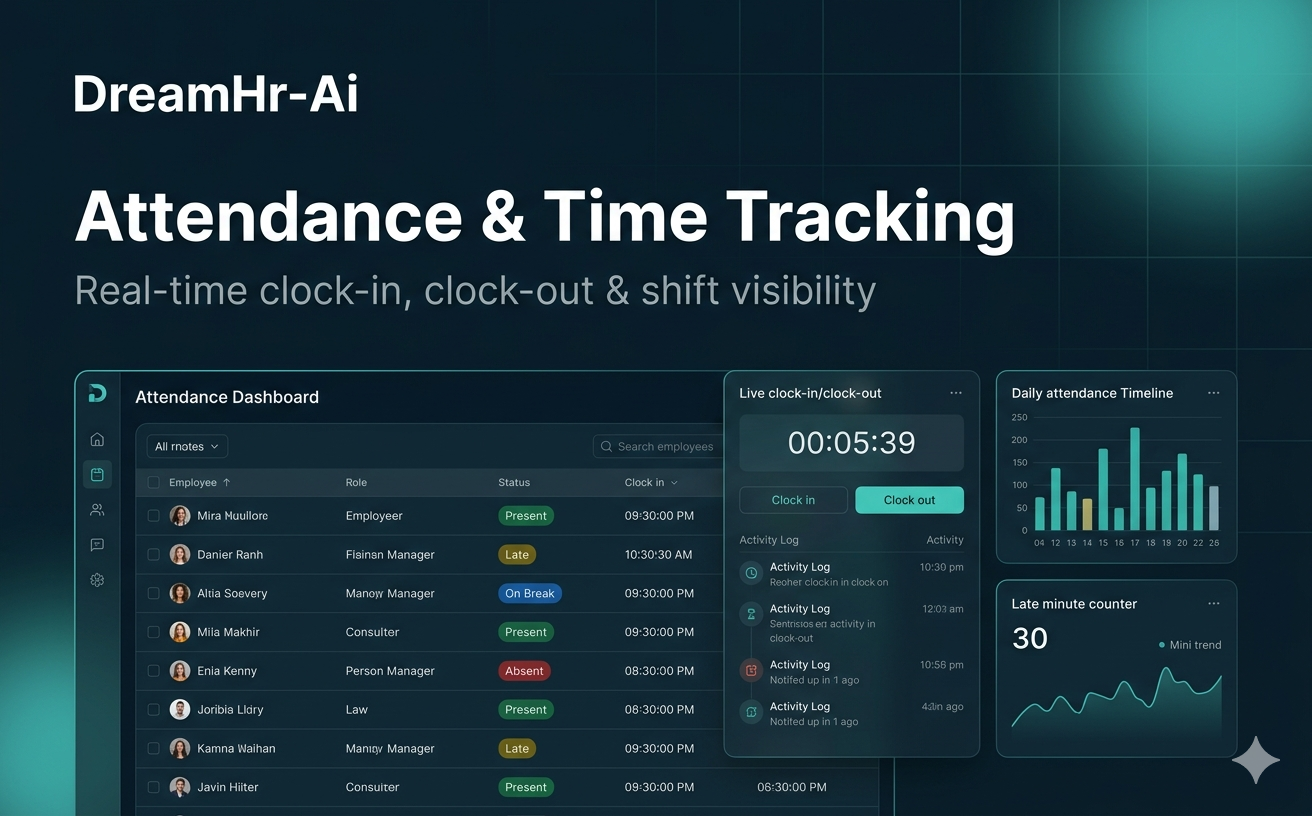
Attendance & Time Tracking
Real-time clock-in, clock-out & shift visibility
Clock in and out with timestamps, real-time attendance states, daily records, grace periods, and overnight shift support.
Learn moreDreamHR-Ai is open source, non-invasive employee monitoring. Start a 14-day free trial, or choose a paid plan for hosting, own-brand access, and enterprise support.
No credit card · Same core features as paid · See plans
Trusted & compliant
Press mentions and security-minded positioning—shown the way buyers expect to scan them.

Platform
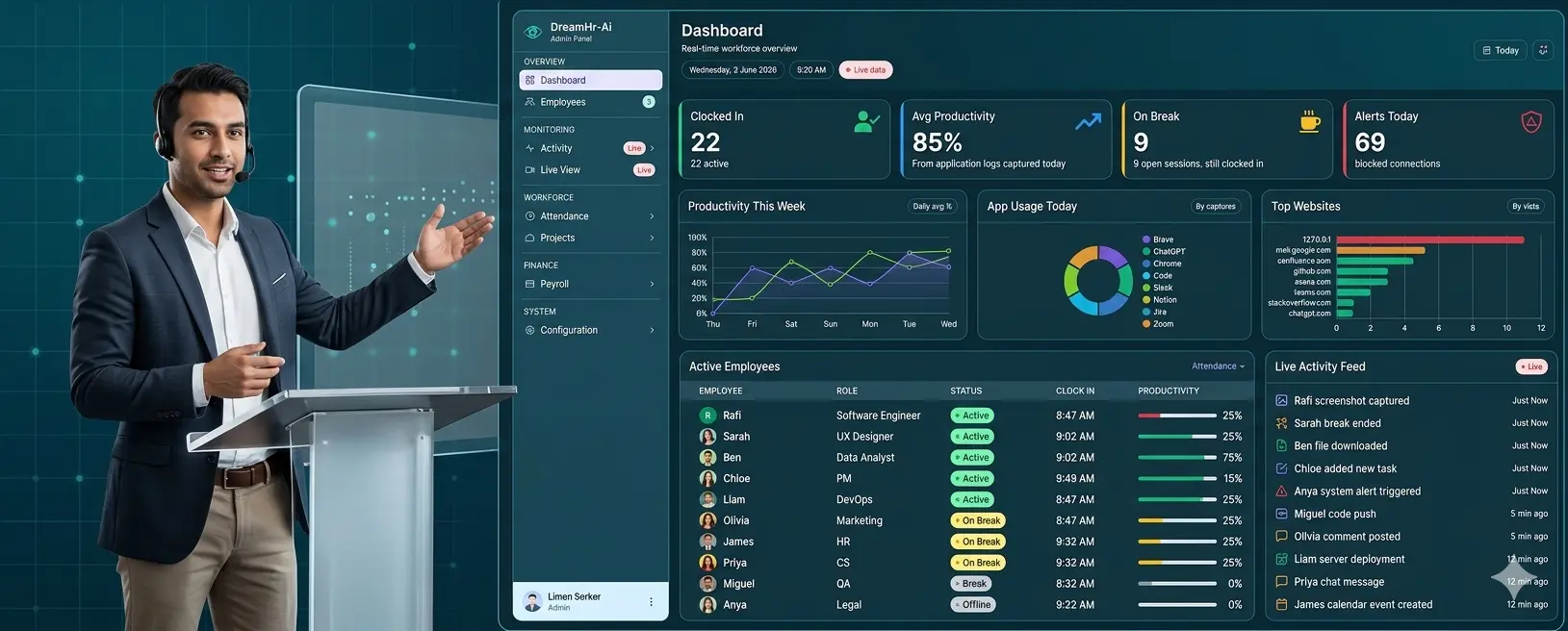
Everything you need to understand attendance, focus time, and team productivity—without overstepping.
Real-time clock-in, clock-out & shift visibility
Clock in and out with timestamps, real-time attendance states, daily records, grace periods, and overnight shift support.
Learn moreKnow exactly how work time is spent
Configurable idle detection, break in/out tracking, and aggregated active, idle, and break hours per shift.
Learn moreAI-powered visual activity insights during every shift
Periodic shift-aware screenshots with optional AI analysis to classify productivity—paused automatically during breaks.
Learn moreTrack every site visited during work hours
Track browser history on Chrome, Brave, and Edge with URLs, titles, timestamps, and domain-based classification.
Learn moreSee which apps drive productivity — and which don't
See foreground apps, window titles, and file paths with productivity rules tailored to each department.
Learn moreSmarter decisions from real-time AI analysis
AI classifies activity as productive, non-productive, or neutral using screenshots, apps, and department policies.
Learn moreEnforce focus during shift hours — automatically
Block social media, unauthorized apps, and non-work websites during active shifts with OS-level enforcement.
Learn moreLive visibility during scheduled shift hours
Live screen view during scheduled shift hours with role-based access, break pause, and a full audit trail.
Learn moreProjects, tasks & payroll — all in one platform
Create projects and tasks, assign deadlines, track progress, and run payroll with payslips from attendance data.
Learn moreInstant alerts when unlicensed software is found
Identify unlicensed or pirated software on office devices and alert IT administrators when violations occur.
Learn moreCatch restricted apps before they become a risk
Detect unsanctioned or restricted applications running on employee machines and enforce company IT policies.
Learn moreInstant alerts when job-search activity is detected during shifts
Spot job-board and recruitment site visits during shift hours so HR can act on attrition risk early.
Learn moreIndustries we serve
Non-invasive workforce visibility for BPO, healthcare, finance, and hybrid teams—HIPAA & GDPR safe.
Serving teams since 2020 · Cloud dashboard · Remote & hybrid
Book a sector-specific demo →Built for responsible teams
Advanced capabilities with clear policies—so managers get visibility and employees know what is measured.
See remote team screens during scheduled shift hours—with logged, policy-bound access.
Learn moreSide-by-side metrics so hybrid policies stay fair and data-backed.
Learn moreSee which sites are used during shift hours, categorized for coaching—not spying.
Learn moreKnow which apps fill the workday so you can coach focus and cut unused licenses.
Learn moreSpot extra hours early so payroll and burnout don’t sneak up on the team.
Learn moreClock-in, clock-out, and shift adherence without manual timesheets.
Learn moreSample report
On the screen (average)
98
active employees (out of 107)
Productive app/website 94%
Unproductive app/website 0%
Undefined app/website 6%
On the screen per hour (average)
Top unproductive screens
Top unproductive screen websites
Safe & effective replacement of invasive screenshots
This is a sample layout of green-screen productivity reporting—an alternative to constant screenshots. Managers see productive vs. unproductive time without capturing every pixel on the employee desktop.
Try now 14 days freeInsights on monitoring, compliance, and hybrid teams.
Trust alone is not enough for distributed teams. Learn how transparent, policy-bound monitoring restores fairness without toxic surveillance.
A practical guide to lawful workforce monitoring in the EU and UK—lawful bases, employee notice, data minimization, and vendor questions to ask.
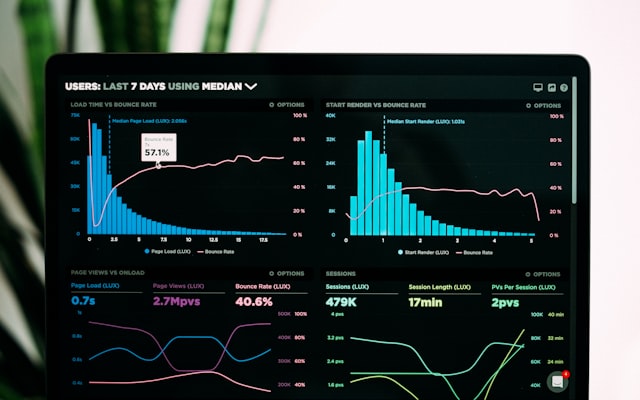
Benchmarks on focus time, meeting load, hybrid attendance, and software waste—plus how to turn stats into fair team goals.
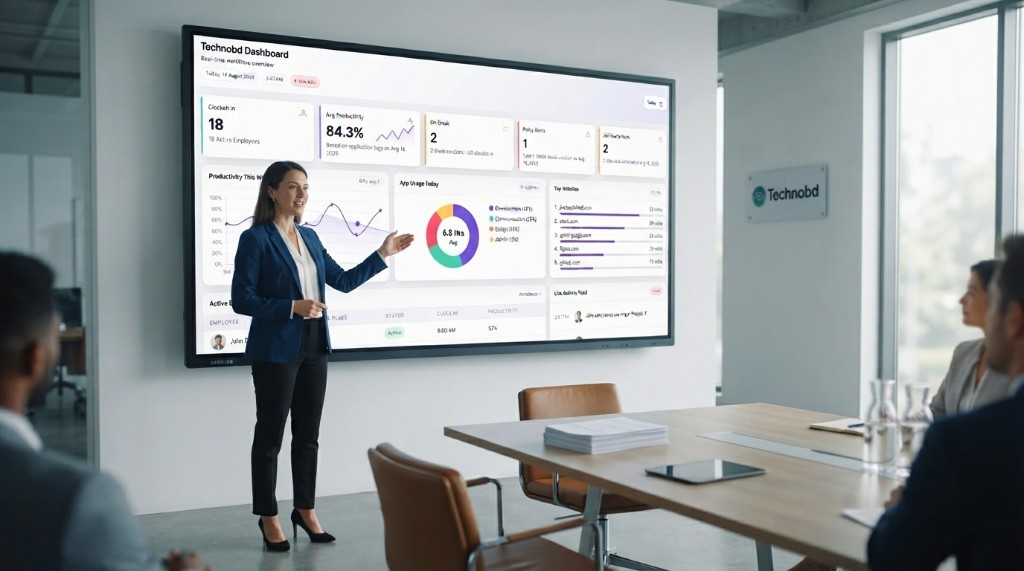
DreamHR-Ai is built for organizations that need real-time visibility without slowing down employee machines. The lightweight agent runs quietly in the background while dashboards update attendance, active time, and productivity metrics as work happens.
Whether you manage 10 users or 10,000, the platform scales with your team. Reports load quickly, live views stay responsive, and administrators spend less time waiting on data and more time acting on it.
Attendance and productivity are connected. DreamHR-Ai tracks in/out events, break patterns, and active computer time in one place so managers see the full picture—not isolated metrics.
Set goals for attendance and active time, compare teams, and identify trends early. Leaderboards and progress reports help motivate employees while keeping expectations transparent and fair.
Poor visibility costs money: unused licenses, overtime leakage, and low-focus hours add up. DreamHR-Ai helps you spot inefficiencies and reallocate time where it matters.
For a 1,000-employee organization, even a small improvement in active time and attendance discipline can represent savings equivalent to dozens of full-time salaries over a year—without adding headcount.
Application usage reports show which tools are actually used, by whom, and how often. That data supports license audits and eliminates spend on software that sits idle.
Finance and IT teams use DreamHR-Ai insights to consolidate subscriptions, negotiate renewals, and align tooling with real workflow needs across departments.
Before buying new productivity or monitoring tools, understand what you already have. DreamHR-Ai clarifies usage patterns so purchasing decisions are based on evidence, not assumptions.
Compare remote and in-office behavior, measure adoption after rollouts, and build a clear business case for investments in HR technology and operations software.
DreamHR-Ai supports Windows endpoints today, with a cloud dashboard for managers. Installation is simple; ongoing maintenance is minimal.
Deploy via your standard IT tools, assign policies by group, and let the system collect data automatically. Administrators focus on outcomes— not daily agent troubleshooting.
See our technical overview and quick-start guides, or contact us for enterprise deployment requirements.
Security is built into every layer: access controls, encrypted transport, reliable uptime, and audit-friendly reporting. DreamHR-Ai is designed for organizations that cannot compromise on data protection.
Custom plans add enterprise controls, dedicated support, and compliance-oriented modes for regulated industries. Review our security documentation or speak with sales for your environment.
Data in transit and at rest is protected using industry-standard AES-256 encryption. This aligns with expectations for modern SaaS and on-premise workforce analytics platforms.
Combined with role-based access and non-invasive monitoring methods, DreamHR-Ai helps security teams approve deployments faster while maintaining employee trust.
Healthcare and related sectors need monitoring that respects patient-data boundaries and workforce privacy rules. DreamHR-Ai offers HIPAA-compatible deployment options on Custom plans.
Use HIPAA-safe modes, documented policies, and green screen reporting instead of invasive capture. Pair monitoring with employee notice and legal review for a responsible rollout.
Operations depend on consistent data. DreamHR-Ai is engineered for stable agents, dependable sync, and accurate timestamps across time zones and work locations.
From daily attendance reviews to monthly executive summaries, teams rely on DreamHR-Ai as a steady source of truth—backed by support when you need it.
FAQ
Quick answers about DreamHR-Ai monitoring, compliance, and plans.
Employee monitoring basics
Yes. Employee monitoring software is legal in most countries when used on company-owned devices for legitimate business purposes such as attendance, productivity, and security. Regulations like GDPR (EU) and various US state laws generally require transparency — employees should be informed about what is monitored and why. DreamHR-Ai supports this with shift-hours-only tracking, employee-visible reports, and HIPAA-safe and GDPR-safe configuration options.
Use non-invasive monitoring: track only during scheduled shift hours, tell employees exactly what is measured, give them access to their own data, and prefer aggregated productivity metrics over constant surveillance. DreamHR-Ai is built around this approach — monitoring stops outside shifts and during breaks, employees can view their own reports, and HIPAA and GDPR safe modes restrict sensitive data capture. This builds trust while still giving managers the visibility they need.
Product overview
DreamHR-Ai is an AI-powered employee monitoring and workforce analytics platform built for remote, hybrid, and in-office teams of all sizes. It helps HR leaders, operations managers, and IT directors track attendance, productivity, active and idle time, app and browser usage, payroll, and project management — without invasive surveillance or screenshot culture.
DreamHR-Ai monitors real-time employee activity including attendance, active and idle time, application usage, browser history within shift hours, live screen view during shift time, job search detection, and project task progress. Managers can also block specific websites and applications at any time from the central dashboard.
Features
Live View allows managers to view an employee's screen in real time during their shift hours. It is designed for use during active shifts only, giving operations leaders instant visibility into remote team activity without needing to schedule calls. Access is controlled by role and restricted by the admin.
DreamHR-Ai offers optional screenshot monitoring with privacy-first controls. It also provides green-screen productivity reporting as a non-invasive alternative to constant desktop screenshots — giving managers productivity insights without capturing sensitive screen content.
Privacy & compliance
DreamHR-Ai offers GDPR-safe configuration: collection can be limited to shift hours, employees can see their own reports, and customers can request deletion of workforce data we process on their behalf. Under GDPR the employer is typically the controller and DreamHR-Ai is the processor. A data processing agreement (DPA) is available for customers who need one. Legal review is still required for your jurisdiction.
DreamHR-Ai is not a HIPAA certification. It includes HIPAA-safe configuration options for healthcare operations teams so monitoring focuses on attendance and productivity rather than patient records. Healthcare customers who need a Business Associate Agreement (BAA) should contact us on a Custom plan. Always have counsel review your rollout.
Comparisons
DreamHR-Ai offers a significantly broader feature set than Hubstaff. While Hubstaff focuses primarily on time tracking and screenshots, DreamHR-Ai adds payroll automation, job search detection, app and website blocking, browser history monitoring, anytime live view, and project management — all in one platform at a competitive price.
Pricing & open source
DreamHR-Ai offers a free Community open-source plan with the same core monitoring features — contact us to request access. Paid Premium and Custom plans add managed hosting, priority support, and enterprise options. See dreamhrai.com/plans-and-pricing for current pricing.
Have more questions? View all 36 FAQs or contact us.